
- Test date / version
- Oct 10, 2026 · reference v2 · historical outfit prompt
- Reference selected
- 0:00–0:10
- Request
- 768P · 10s · 16:9
- Actual output
- 1344 × 768 · 10.125s
- Audio track
- AAC · stereo · reference restored
- Generation cost
- 160 credits per request
TWO PORTRAITS. YOUR RAINDANCE MOMENT.
Make a Raindance AI video
with you and a friend.
Choose a Raindance moment and add one male portrait and one female portrait. Create a personalized 10-second clip with credits and download the completed result. The reference video and prompt are already built in—just bring your photos.
Single pack: $9.90 USD for two 768P generations · 10 seconds each.
- What you bring
- 2 separate portraits
- Requested output
- One 10-second clip
- Per 768P part
- 160 credits · MP4 download
- Three-part sequence
- Generate separately · join in your editor
01 Choose your moment.
Part 1Part 1 · Reference · Not a generated result
0:00–0:10 is the reference used for your Part 1 generation. Your photos guide the two identities and visible outfits; AI results can vary.
Part 1 · ~10 seconds · 160 credits at 768P
02 Add your two photos.
01
Replaces the male performer02
Replaces the female performerOne adult per photo. Clear face and visible outfit. JPG, PNG or WebP · Max 10 MB · At least 300 × 300 px.
Which photos should I use?
Choose
- One person, facing the camera in good light.
- A head-to-waist or head-to-knees photo showing the outfit you want.
- A separate photo for each role: male first, female second.
Avoid
- Sunglasses, hands or a phone hiding the face.
- Group photos and heavy face filters.
- A face-only crop when clothing matters: unseen garments cannot be matched reliably.
These are preparation tips, not a quality guarantee. The prompt requests your visible clothing; current tests show partial transfer with remaining defects. See the test results.
03 Review & create.
Part 1 · 0:00–0:10One ~10s MP4 · 768P · 160 credits
Allow around 10–15 minutes per clip as a planning estimate, not a deadline.
About the wait
768P: 9m 04s average across 2 tests. Provider queue + generation only; upload and delivery add time. Small sample, not guaranteed.
Part 1 · 160 credits at 768P · Single: $9.90 for two 768P takesView pricing
All three parts: 480 credits at 768P. Submit three separate requests, then join the downloads in your own editor. This button creates only Part 1.
Downloads included. A completed take uses credits; a new take costs extra. Result limits · How the built-in prompt works
REAL GENERATED RESULTS
Same two portraits.
See each part.
Compare the complete results with reference audio restored below. Every part uses these same two input portraits: AI-generated fictional adults approved for this demonstration.

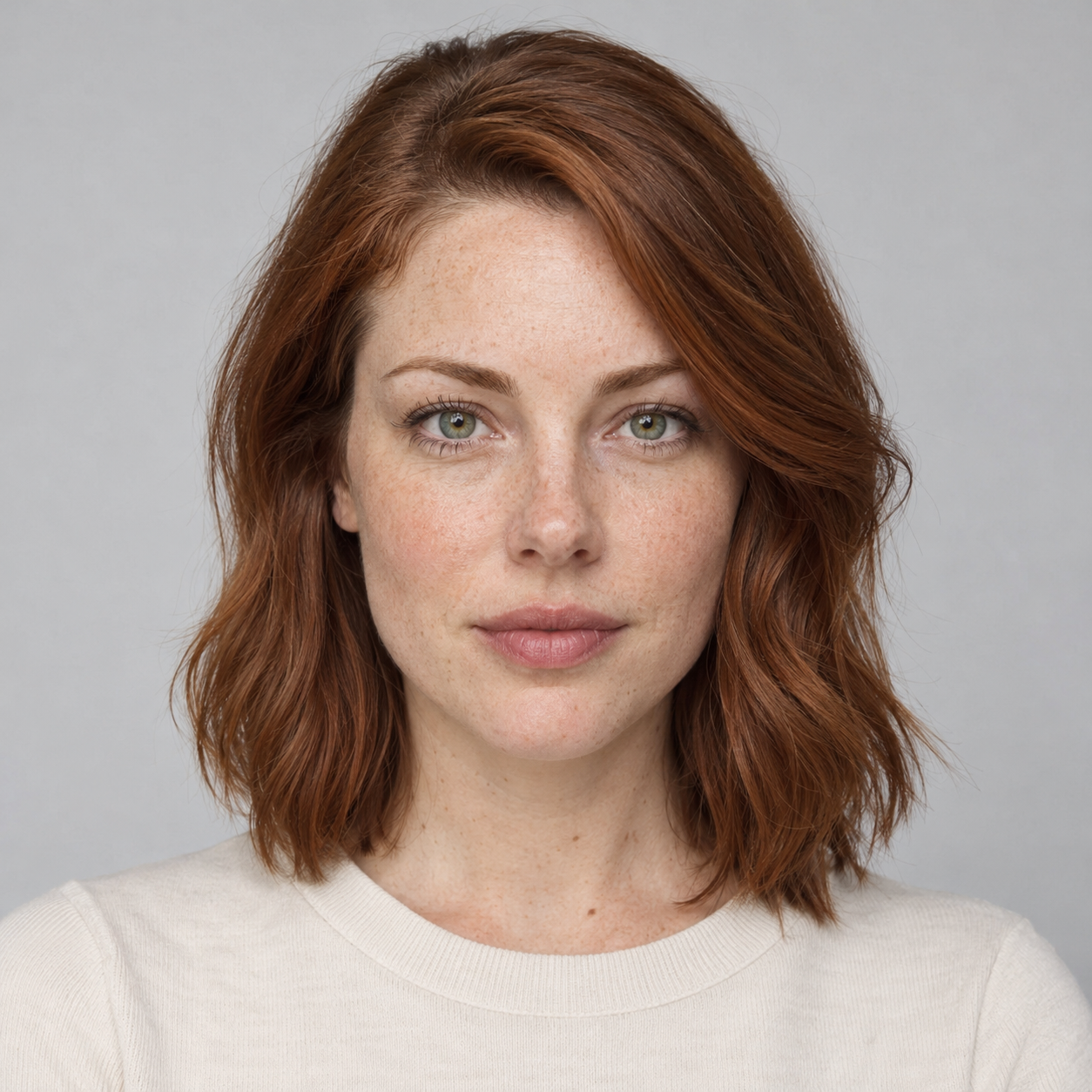
Two inputs shared by every result
Each clip is a separate paid generation using its own 10-second reference section and the earlier prompt that kept the reference outfits. These are generated outputs, not the reference footage.
Playback restores the selected reference soundtrack. The AI-generated video frames are unchanged: no retouching or stitching. Original provider MP4 files are available below for comparison.
- Test date / version
- Oct 11, 2026 · reference v2 · historical outfit prompt
- Reference selected
- 0:10–0:20
- Request
- 768P · 10s · 16:9
- Actual output
- 1344 × 768 · 10.125s
- Audio track
- AAC · stereo · reference restored
- Generation cost
- 160 credits per request
- Test date / version
- Oct 11, 2026 · reference v2 · historical outfit prompt
- Reference selected
- 0:20–0:30
- Request
- 768P · 10s · 16:9
- Actual output
- 1344 × 768 · 10.125s
- Audio track
- AAC · stereo · reference restored
- Generation cost
- 160 credits per request
- Showcase attempts
- 2 paid takes · 320 credits total
These MiniMax H3 examples use the earlier reference-outfit prompt. Current requests ask for the visible clothing in your photos; AI results can vary. Each link selects the same part at 768P, without uploading photos, submitting a task or charging credits.
What is the
Raindance AI trend?
Raindance AI refers to photo-to-video recreations inspired by “Raindance” by Dave featuring Tems. In this two-person version, your portraits guide the identities in a waterfront performance with pier scenes, solo close-ups and shared shots.
Here, “Raindance AI” means an AI recreation of the music-video performance. This tool is separate from the Raindance Film Festival and is not an official product of the artists or their labels.
Our studio supplies the reference and fixed prompt. Upload two separate portraits, assign the male and female roles, then choose the part you want to recreate.
Universal Music Canada announced the official music video on January 9, 2026, and identifies Lagos, Nigeria as its filming location.
Read the official music video announcement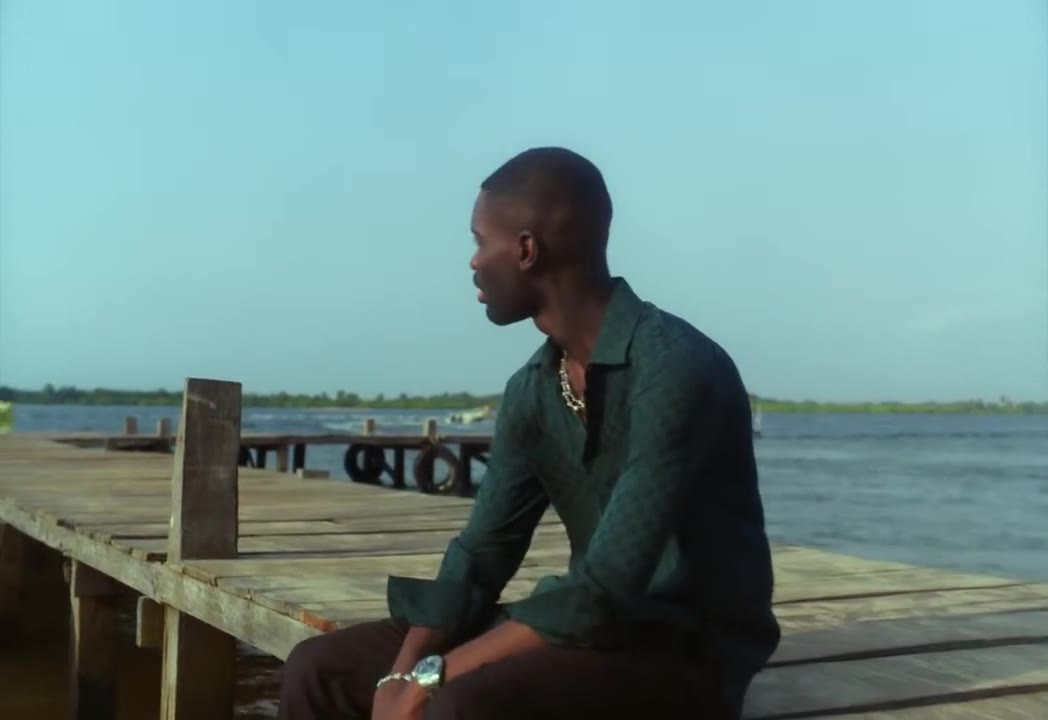
How to make a
Raindance AI video.
Add two portraits.
Use one clear photo per person: one in the male slot and one in the female slot. Choose JPG, PNG or WebP, up to 10 MB each and at least 300 × 300 pixels. Use photos you have permission to use.
Choose your moment.
Preview Part 1, 2 or 3. Each request uses 10 seconds at 768P or 2K. Review the selected part and credit cost; there is no need to upload a reference or write a prompt.
Generate and download.
Sign in and confirm photo permission before submitting. Add credits, submit your selected part and follow progress in My videos. Download the completed clip with no separate unlock charge.
Your identities.
The reference performance.
The goal is to replace the two performers while following your selected clip. Here is what guides the result and what to expect from AI generation.
Follow the selected reference.
The fixed prompt takes identity and visible clothing from your photos, and scene, camera cuts, gestures and timing from the video. Male and female identities stay assigned to their original roles as positions change. Solo close-ups remain solo shots.
Explore the reference and prompt controls ↗Expect a personalized interpretation.
AI-generated results may differ from the reference video in appearance, clothing, movement and timing. An exact match is not guaranteed.
Finish your edit separately.
Downloads restore the selected reference soundtrack while keeping AI video frames unchanged. Join the parts in your own editor; cuts and lip-sync can differ. Use music permitted for your intended use.
Choose one part.
Or build a three-part sequence.
Start with the moment you like best. For the full sequence, generate the three parts separately with the same portraits and quality, then join the downloads in your video editor.
All three parts use 480 credits at 768P or 780 at 2K. There is no automatic stitching, and continuity between separate generations can vary.
How to join your three clips ↗- Part 10:00–0:1010 seconds
- Part 20:10–0:2010 seconds
- Part 30:20–0:3010 seconds
Raindance AI pricing.
Choose your credit pack.
10-second credit packs start at $9.90 for 320 credits; no subscription.
Choose credits for your 10-second clips.
Choose a part and quality in the studio. Each request uses the displayed credits; downloads of completed results are included.
Pay once in USD through Stripe. No subscription or separate download fee.
Single
Try one part2 generations at 768PAbout 10 seconds per clip
Try 2 takes of your favorite part.
320 credits · one-time purchase
- 160 credits per 768P generation
- Or 1 generation at 2K · 260 credits each
- Try your first duet
Starter
Three parts · 768P4 generations at 768PAbout 10 seconds per clip
Generate all three parts once, then 1 more take at 768P.
700 credits · one-time purchase
- 160 credits per 768P generation
- Or 2 generations at 2K · 260 credits each
- All three parts at 768P
Creator
9 generations at 768PAbout 10 seconds per clip
Explore more takes with different portraits.
1,500 credits · one-time purchase
- 160 credits per 768P generation
- Or 5 generations at 2K · 260 credits each
- Room for more takes
Studio
19 generations at 768PAbout 10 seconds per clip
More room to create across all three parts.
3,100 credits · one-time purchase
- 160 credits per 768P generation
- Or 11 generations at 2K · 260 credits each
- Best credit value
Counts are paid generation attempts at one quality, not guaranteed satisfactory results or complete sequences. Another take uses credits. All three parts use 480 credits at 768P or 780 at 2K: generate separately, download and join in your own editor. Starter covers all three at 768P only; its 700 credits do not cover the 780-credit 2K sequence.
Confirmed technical failures restore reserved credits. A completed result you want to redo uses additional credits. Credit restoration is different from a cash refund. See full pricing and payment terms.
Where can I make a Raindance video from two photos?
Use the Raindance AI studio at raindance.video in your browser. Upload two separate portraits, choose one of the three 10-second reference parts, then sign in. Create a 10-second video using paid credits. The reference and prompt are built in; no app installation is required.
Is Raindance AI free?
Watching reference clips and published examples is free. Creating a personalized video requires paid credits. Standard packs start at $9.90 for 320 credits, with no subscription. A one-purchase Welcome offer costs $6.99 for one 10-second 768P attempt within your account’s purchase window: 3 hours from registration for new accounts. Existing accounts keep their previously offered deadline; sign in to check eligibility. One 10-second part uses 160 credits at 768P or 260 at 2K.
Do I need the original Raindance video or my own prompt?
No. The studio provides three selectable 10-second video sections, matching audio and a built-in prompt. You only need two separate portraits, one for each template role.
Which photo goes into each role?
Upload one portrait in the male slot and one in the female slot. The prompt assigns each identity to the corresponding performer throughout the reference, including cuts, position changes and solo close-ups. Use Swap uploaded photos if you put them in the wrong slots. The two people do not need to appear in the same original photo.
Can I choose a part of the reference or make all 30 seconds?
Yes. Choose Part 1 (0:00–0:10), Part 2 (0:10–0:20) or Part 3 (0:20–0:30). Each request uses the corresponding 10-second clip. For the full sequence, generate all three separately and join the downloads in an editor. All three use 480 credits at 768P or 780 at 2K. Automatic stitching and seamless continuity are not included.
What do I receive?
Completed video downloads are included in the generation credit cost. Each request targets one 10-second MP4 in 16:9 with MiniMax H3. Choose Standard 768P or High 2K. Published 768P examples are 1344 × 768 MP4s lasting 10.125 seconds. Actual dimensions and duration can vary. Find completed videos in My videos and download them to your device.
Does the video include the original Raindance song?
Standard playback and downloads restore the selected reference soundtrack without re-encoding the generated video. A separate AI original download keeps the model’s audio. Exact lip-sync is not guaranteed; music rights are not included. The unprocessed AI original may have different audio; it is available as a separate download. The tool does not grant music rights. Use only music permitted for your account, region and intended use when editing or publishing.
Will it match the reference video exactly?
AI-generated results may differ from the reference video in appearance, clothing, movement and timing. An exact match is not guaranteed.
Will the video use the clothes in my photos?
The current prompt asks the model to use each person’s visible outfit from their own uploaded photo, while following the video’s actions and scene. Choose photos that clearly show the garments you want. Clothing outside the crop cannot be matched reliably. Published examples use the earlier reference-outfit prompt. Exact clothing transfer is not guaranteed.
Does Raindance AI guarantee lip-sync?
No. The prompt asks the model to follow the reference mouth movements, but exact lip-sync and audio synchronization are not guaranteed.
Do I need to sign in?
You can watch the reference and prepare photos without an account. Sign in to generate; each 10-second video requires credits. Photo drafts can be restored in the same browser for 30 minutes; My videos keeps your submitted jobs and downloads.
How long does generation take?
Allow around 10–15 minutes per clip as a planning estimate, not a deadline. In three Part 1 tests on October 16, 2026, provider queue plus generation averaged 10m 41s. The two 768P tests averaged 9m 04s; the single 2K test took 13m 54s. Upload and result delivery take additional time. This small sample is not a service guarantee. You can leave after submission and return to My videos. After 15 minutes we flag the longer wait; after 30 minutes, contact support with the task reference. A long wait alone does not mean failure or trigger another charge.
What happens if generation fails or I dislike the result?
A confirmed technical failure restores the reserved credits once. If acceptance of a request is uncertain, the credits stay reserved while it is checked; do not submit the same job again. A completed result uses credits, and another generation costs additional credits. If a person is missing, swapped or changes identity after a cut, report the task and affected timestamps using the result help in My Videos; these issues are distinct from subjective creative preferences. Reporting does not automatically grant a free retry or compensation. Restoring credits is not a cash refund; see the Terms for payment conditions and statutory rights.
How are my photos handled?
Before submission, previews and drafts stay in your browser. Local drafts expire after 30 minutes and are cleared on the next visit. Submitted photos go to private storage and a video processing provider. Site uploads become eligible for deletion after 24 hours, except photos needed by an unfinished task. Account deletion is available from your account page. External retention follows the provider’s policies; immediate deletion of every copy and a no-training policy have not been verified. See Privacy for details.
Is this an official Dave or Tems product?
No. Raindance AI is an independent AI video tool and is not affiliated with or endorsed by Dave, Tems, their record labels or the Raindance Film Festival.
About this Raindance AI tool.
Raindance AI at raindance.video turns two separate portraits into a personalized video guided by a built-in performance reference. Upload one male portrait and one female portrait, choose a 10-second section, and download the completed MP4. Personalized generation uses paid credits; standard packs start at $9.90 USD.
The reference preview shows the source performance, not a personalized result. AI faces, motion and cut timing can vary; the tool does not grant music rights. For product, payment or privacy questions, contact support@raindance.video.
Read the guide · Compare credit packs · How photos are handled
Who’s in your Raindance video?
Create my videoUse photos you own or have permission to use. Raindance AI is an independent tool, not affiliated with Dave, Tems, their labels or the Raindance Film Festival.